もじつなぐ

iPhone / iPad · iOS 15.5+

Find the pair.Draw the line.

A 60-second game: five characters on each side, and you drag a line between each matching pair. Start with hiragana, then unlock katakana, emoji and kanji.

Scan with your iPhone

もじつなぐ

When it helps

What it does

  1. 01

    Drag to draw a line

    Drag from a dot on the left to the dot with the same character on the right. The character is read aloud as you start.

  2. 02

    Five lines, one answer

    Connect all five pairs correctly to score one answer. A wrong match clears the lines, and you try the same question again.

  3. 03

    60 seconds a round

    Each round lasts 60 seconds. The time left is shown at the top.

  4. 04

    Four character types

    Hiragana is open from the start. Katakana opens at 100 coins, emoji at 300 and kanji at 500.

  5. 05

    Best score and rank

    The result screen shows correct answers, total coins and a rank, and your best stays on the start screen.

  6. 06

    Dark mode

    Switch to a black background in Settings. Lines are drawn in a bright color.

In detail

Connect matching characters
01

Connect matching characters

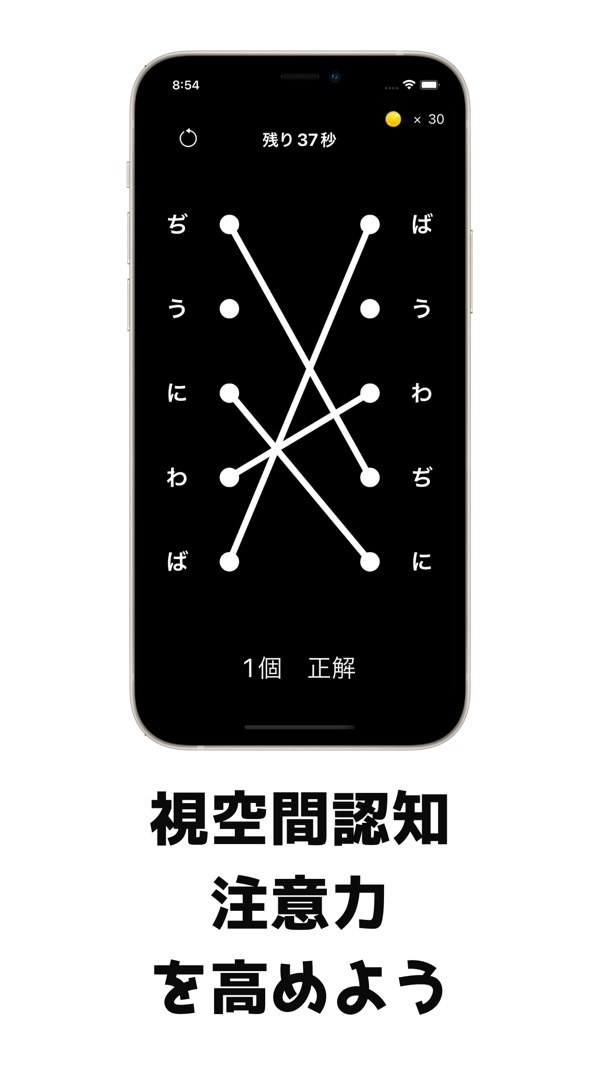
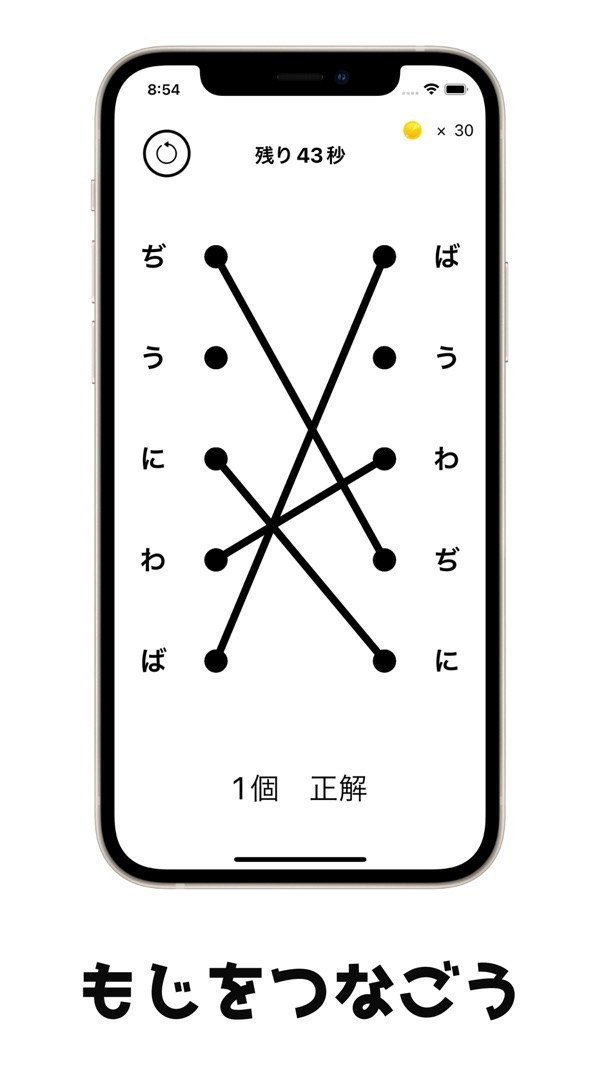
Five characters line up on the left and five on the right. Both sides hold the same five characters, just in a different order. Drag a finger from a dot on the left to the dot with the same character on the right.

  • Five characters on each side
  • Draw with a finger drag
  • The character is read aloud when you start the line
Five lines make one correct answer
02

Five lines make one correct answer

When you connect all five pairs correctly, it counts as one correct answer and a new question appears. If you connect two different characters, the lines are cleared at once. The question stays the same, so you can try again.

  • Correct count shown at the bottom
  • A wrong match clears the lines
  • The reset button at top left clears your lines
Four character types
03

Four character types

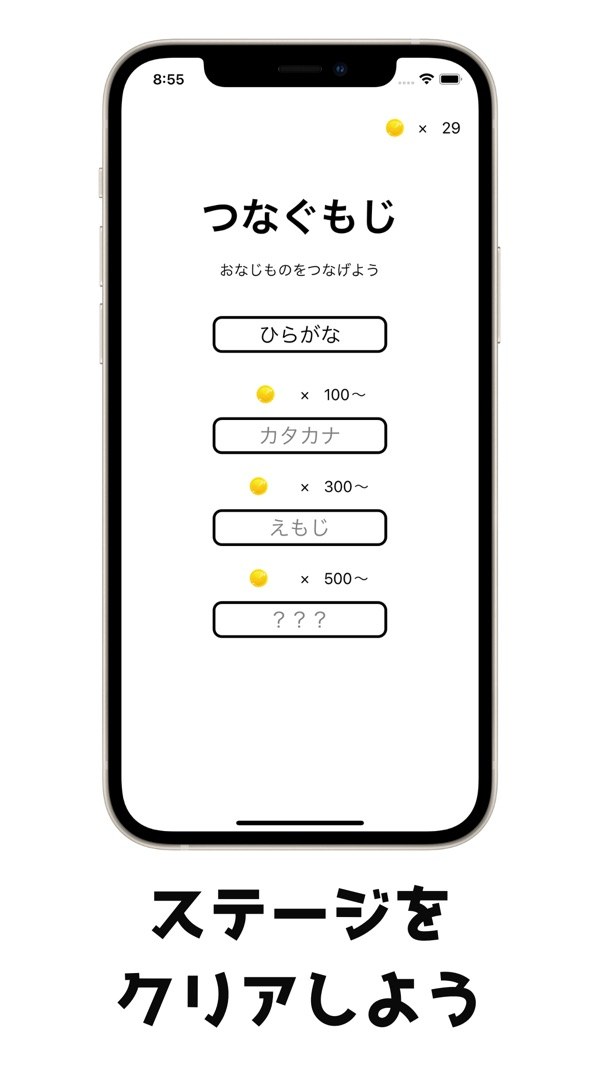
The start screen lists hiragana, katakana, emoji and kanji. Hiragana is open from the start. Katakana opens at 100 coins, emoji at 300 and kanji at 500.

  • One coin per correct answer
  • Required coins are shown on the buttons
  • A progress bar on the start screen
04

Timer and combo on screen

During play, the seconds left and your coin count appear at the top. Consecutive correct answers show a combo, which resets on a mistake. When time reaches zero, a time-up animation plays and the result screen opens.

  • 60-second limit
  • A countdown before the round starts
  • Coins are added for each correct answer
Result screen and dark mode
05

Result screen and dark mode

The result screen shows your correct answers, total coins, and a medal and rank (S, A, B or C). You can share from there on Twitter or LINE. Dark mode in Settings switches to a black background.

  • NEW BEST banner when you beat your record
  • Buttons for Twitter, LINE, review and other apps
  • Dark mode switch

How it works

  1. 1
    Choose a character type

    Choose a character type

    On the start screen, pick hiragana, katakana, emoji or kanji. Types you have not unlocked show the coin count they need.

  2. 2
    Drag from left to right

    Drag from left to right

    After a countdown, 60 seconds begin. Put a finger on a character's dot on the left and drag, without lifting, to the dot of the same character on the right.

  3. 3
    Connect all five

    Connect all five

    When all five pairs are right, you score one correct answer and get a new question. A wrong match clears the lines, and you try the same question again.

  4. 4

    See your result

    When time runs out, the result screen opens. After checking your correct answers and coins, use the back button to return to the start screen.

Screens

Connect matching characters

FAQ

Does it cost anything to play?

The App Store price is free, and the app shows ads. The start screen has a Remove Ads button that offers a purchase (with a restore option). The price is shown in the app.

Why does the start screen show a different name?

The start screen title and the sharing text read Tsunagu Moji, while the App Store name is Moji Tsunagu. It is the same app.

How long is a round?

60 seconds, with a countdown before it begins.

Is there a penalty for a wrong match?

A wrong match clears the lines and breaks your combo. You try the same question again. There is no miss limit that ends the game.

Where do ads appear?

Banner ads appear on the start, game and result screens. When you go back from the result screen, a full-screen ad may appear every second time. Ads come from Google AdMob and are not shown after you remove ads.

Where are my coins and best score stored?

On your device.

What devices and iOS versions are supported?

iPhone and iPad running iOS 15.5 or later.

Can I share my result?

Yes. Buttons on the result screen let you share on Twitter or LINE. The shared text includes your total coins and the App Store link.

How many can you connect in 60 seconds?

Download on the App Store
もじつなぐGet